Why Documentation is a Critical Skill in Automation
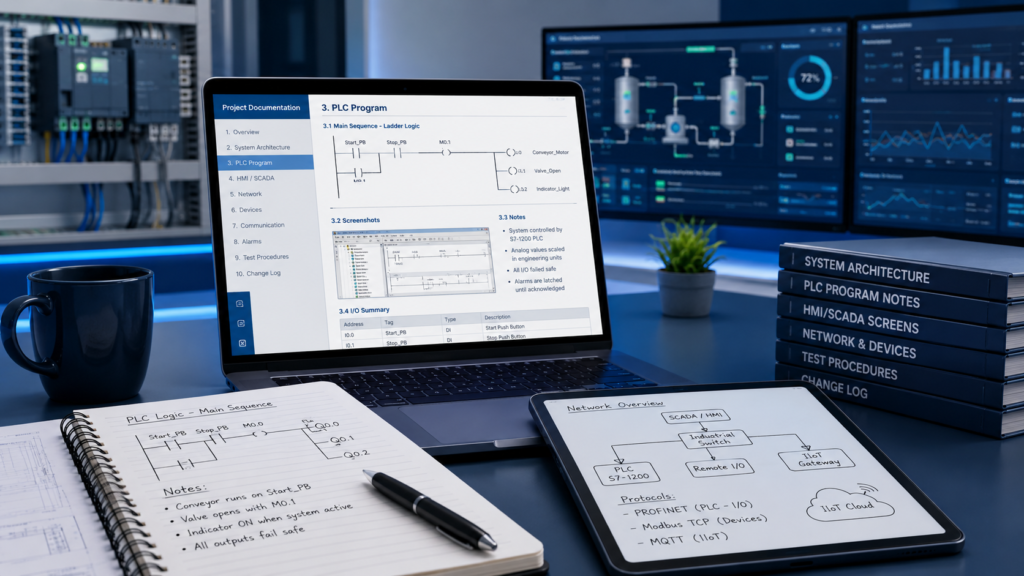
In automation, controls, SCADA, IIoT, and industrial networking, documentation is not optional. It is part of the work.
Whether you are a student working on a lab, a technician troubleshooting a machine, an engineer modifying a PLC program, or an instructor preparing training material, documentation is one of the most important habits you can build.
Every time you build something, configure something, troubleshoot a problem, or solve an error, you should document what you did. Take screenshots. Write the steps. Record the settings. Explain what worked, what did not work, and how you fixed it.
This may feel slow at the beginning, but it saves a lot of time later.
Documentation Saves You From Solving the Same Problem Twice
magine you are working on a lab. You spend three hours fixing a communication problem between a PLC and another device. Maybe the issue was an IP address, a missing setting, a wrong tag path, or a configuration step you forgot.
If you do not document the solution, you may face the same problem again later and spend another three hours solving it.
But if you documented the steps, the second time may take only 20 or 30 minutes.
That is the real value of documentation.
It turns experience into something reusable.
Documentation Helps You Know What You Really Understand
Today, AI tools can give you instructions again when you need help. That is useful. But documentation is still important because the act of writing forces you to think.
When you document your work, you become more aware of:
- what you understand,
- what you copied without fully understanding,
- what steps are important,
- what mistakes you made,
- and what you need to review again.
This is especially important for students. If you completed a lab once, you should be able to reuse that knowledge later in a final project, capstone project, or real industrial task.
Good documentation helps you build your own technical memory.
Documentation Is Also an Industry Skill
In industry, if you change a design, modify a PLC program, update an HMI screen, configure a network, or troubleshoot a system, someone needs to know what changed.
That someone might be you six months later.
It might also be another technician, engineer, operator, or instructor.
Good documentation makes systems easier to maintain. It reduces confusion. It helps teams work together. It also protects you because your work becomes clear and traceable.
In automation, a solution is not really complete until it is documented.
What Should You Document?
You do not need to write a book every time. Start simple.
For each activity, try to document:
- The goal
What were you trying to do? - The hardware or software used
For example: Siemens PLC, Ignition, Node-RED, MQTT broker, IO-Link master, Arduino, Raspberry Pi, etc. - The steps you followed
Write the process in order. - Screenshots
Capture important settings, errors, wiring diagrams, tag configurations, or software screens. - Problems and solutions
This is one of the most valuable parts. Write what went wrong and how you fixed it. - Final result
Explain how you confirmed that the system worked.
A simple note with screenshots is already better than no documentation.
Tools You Can Use
There are many note-taking tools, but two tools I personally like for technical documentation are OneNote and Obsidian.
Option 1: OneNote
OneNote is simple and easy to start with.
You can create one notebook for your technical work. Inside that notebook, you can create sections. Inside each section, you can create pages and subpages.
For example, you could create a section called:
Communication Protocols
Then inside that section, you may have pages such as:
- IO-Link
- PROFINET
- Ethernet/IP
- Modbus TCP
- Modbus RTU
- MQTT
Under each topic, you can create subpages for labs, examples, troubleshooting notes, screenshots, or references.
OneNote is a good choice if you want something easy, visual, and flexible. You can quickly paste screenshots, write notes, and organize your work without too much setup.
Option 2: Obsidian
Obsidian is another excellent option, especially if you like owning your files and building a long-term knowledge base.
One thing I like about Obsidian is that your notes are stored as local Markdown files. This means your notes are not locked inside one platform. You keep your data with you.
Obsidian can start as a simple note-taking tool, but it can grow with you. It supports many useful plugins, such as:
- Kanban boards for tracking tasks,
- folder icons for better organization,
- code blocks for programming examples,
- diagrams and drawings,
- linked notes,
- and more advanced features like Bases.
For technical work, Obsidian can be very powerful. You can document code, create structured folders, link related topics, and slowly build your own automation knowledge base.
You do not need to make it perfect from day one. Start with simple folders and simple notes. As you use it, your structure will improve naturally.
The Tool Is Not the Most Important Part
OneNote is good. Obsidian is good. Other tools can work too.
The most important thing is this:
Use a documentation system consistently.
Do not wait until everything is perfect. Do not wait until you find the perfect tool. Start documenting now.
Take screenshots. Write steps. Save errors. Record solutions.
Your future self will thank you.
Final Thought
If you are learning automation, PLC programming, SCADA, IIoT, industrial networking, or any technical subject, documentation is one of the best habits you can build.
A lab should not disappear after you finish it.
A problem should not disappear after you solve it.
A project should not exist only in your memory.
Document your work, because every note you write today can save you time, improve your understanding, and help you become a better technician, technologist, or engineer.